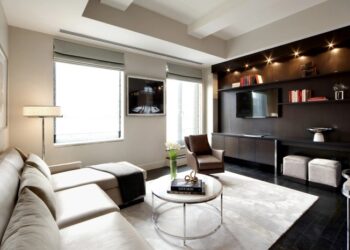
Step into the world of Roomstyler 3D, where creativity knows no bounds. From designing dream spaces to collaborating with fellow enthusiasts, this innovative platform offers a plethora of possibilities waiting to be explored.
Discover the ins and outs of Roomstyler 3D as we delve into its features, design tips, and community engagement opportunities.
Introduction to Roomstyler 3D
Roomstyler 3D is an online interior design tool that allows users to create realistic 3D models of rooms and spaces. Its primary purpose is to help individuals visualize and plan their interior design projects with ease.
Key Features of Roomstyler 3D
- Create 3D Room Designs: Users can design and decorate rooms in 3D, including adding furniture, decor, and other elements.
- Catalog of Items: Roomstyler 3D offers a wide range of furniture and decor items to choose from, allowing for customization and personalization.
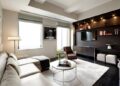
- Realistic Renderings: The tool provides high-quality renderings of the designed rooms, giving users a clear picture of how the final design will look.
- Interactive Design Process: Users can easily drag and drop items, change colors, and experiment with different layouts to achieve the desired look.
How Roomstyler 3D Differs from Other Interior Design Tools
Roomstyler 3D sets itself apart from other interior design tools with its user-friendly interface, extensive item catalog, and realistic renderings. Unlike some other tools, Roomstyler 3D focuses on providing a seamless and interactive design experience, making it accessible to both beginners and experienced designers.
Getting Started with Roomstyler 3D
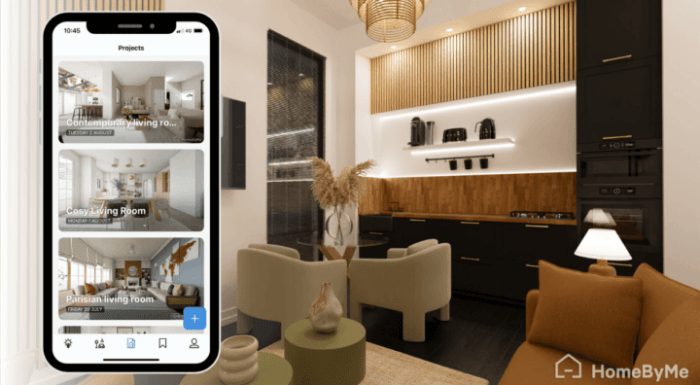
To begin your interior design journey with Roomstyler 3D, follow these steps:
Creating an Account
- Go to the Roomstyler website and click on the "Sign Up" button.
- Fill in your details such as username, email, and password to create an account.
- Verify your account through the link sent to your email.
Selecting a Room Template or Starting from Scratch
When you log in to Roomstyler 3D, you have the option to choose a room template or start from a blank canvas:
- If you choose a room template, browse through the available options and select one that suits your project.
- If you prefer to start from scratch, click on the "Create Room" button to begin with an empty room.
Navigating the Roomstyler 3D Interface
Once you have selected a room template or started from scratch, familiarize yourself with the Roomstyler 3D interface:
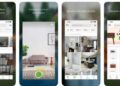
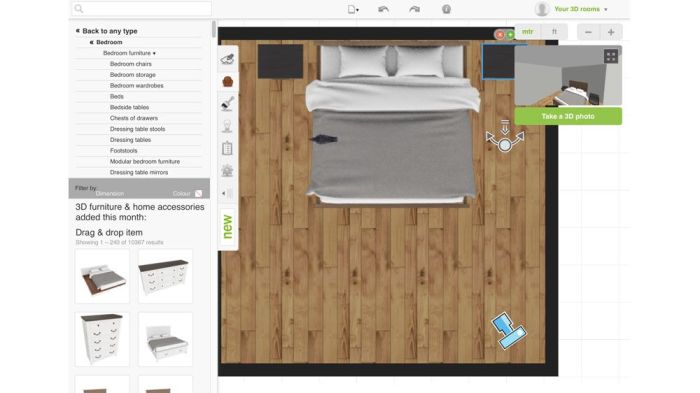
- Use the toolbar on the left to access various tools such as furniture, decor items, and textures.
- Click and drag items from the toolbar into your room to place them where you want.
- Adjust the size, rotation, and position of items by clicking on them and using the on-screen controls.
- Explore different camera views and lighting options to visualize your design from all angles.
Designing in Roomstyler 3D
Designing rooms effectively in Roomstyler 3D requires attention to detail and creativity to bring your vision to life. Here are some tips to help you make the most of this design tool.
Customization Options
Roomstyler 3D offers a wide range of customization options for furniture, decor, and layouts to suit your design preferences. You can choose from various styles, colors, and sizes to create the perfect look for your space. Whether you prefer modern, traditional, or eclectic designs, Roomstyler 3D has something for everyone.
- Customize Furniture: Select furniture pieces from the extensive catalog and adjust their dimensions to fit your room perfectly. You can also change the color, material, and placement of each item to match your design aesthetic.
- Decor Options: Add decorative elements like rugs, curtains, artwork, and lighting fixtures to enhance the ambiance of your room. Experiment with different styles and arrangements to achieve the desired effect.
- Layout Flexibility: Arrange furniture and decor items in multiple layouts to find the best configuration for your space. Roomstyler 3D allows you to move objects around easily and visualize different arrangements in real-time.
3D Visualization Tools
Roomstyler 3D provides powerful 3D visualization tools that allow you to preview your designs from different angles and perspectives. This feature helps you see how all the elements come together in a cohesive way before making any final decisions.
- Camera Views: Switch between various camera views to explore your room design from different angles, such as top view, side view, or 3D perspective. This allows you to assess the overall look and feel of the space more effectively.
- Lighting Effects: Adjust the lighting settings to see how natural and artificial light sources impact the ambiance of your room. Experiment with different lighting scenarios to create the desired mood and atmosphere.
- Realistic Rendering: Use the realistic rendering feature to see a high-quality image of your design with accurate textures, shadows, and reflections. This helps you visualize the final result with greater clarity and realism.
Collaborating and Sharing in Roomstyler 3D
Roomstyler 3D offers various ways for users to collaborate with others on design projects, share their creations, and engage with the community.
Collaboration on Design Projects
Users can collaborate on design projects in Roomstyler 3D by inviting others to join their projects. This feature allows multiple users to work together on a single design, share ideas, and contribute to the project in real-time.
Sharing Options
- Users can showcase their designs created in Roomstyler 3D by sharing them on social media platforms such as Facebook, Twitter, and Pinterest.
- There is also an option to generate a link to the design, which can be shared with others via email or messaging apps.
- Additionally, users can embed their designs on websites or blogs to display them publicly.
Community Aspects
Roomstyler 3D fosters a vibrant community where users can provide feedback on each other's designs, offer suggestions for improvement, and share inspiration. This collaborative environment encourages creativity and helps users learn from one another.
Final Wrap-Up
As we conclude our journey through the realm of Roomstyler 3D, remember that the only limit to your creations is your imagination. Join the vibrant community, unleash your design prowess, and let your unique style shine through in every project you undertake.
Clarifying Questions
How do I collaborate with others on Roomstyler 3D?
Users can collaborate by inviting others to edit their designs or by joining design challenges to work together.
Can I import my own furniture models into Roomstyler 3D?
Roomstyler 3D currently does not support importing custom furniture models, but they provide a wide range of pre-existing options to choose from.
Is Roomstyler 3D compatible with all devices?
Roomstyler 3D is a web-based platform, accessible on most devices with a modern web browser. However, for the best experience, it is recommended to use a computer or tablet.
Are designs created in Roomstyler 3D saved automatically?
Yes, Roomstyler 3D saves your designs automatically as you work on them, ensuring that your progress is never lost.
How can I get feedback on my designs in Roomstyler 3D?
You can share your designs with the Roomstyler community for feedback, or participate in design challenges to receive constructive critiques.